Pair the watches
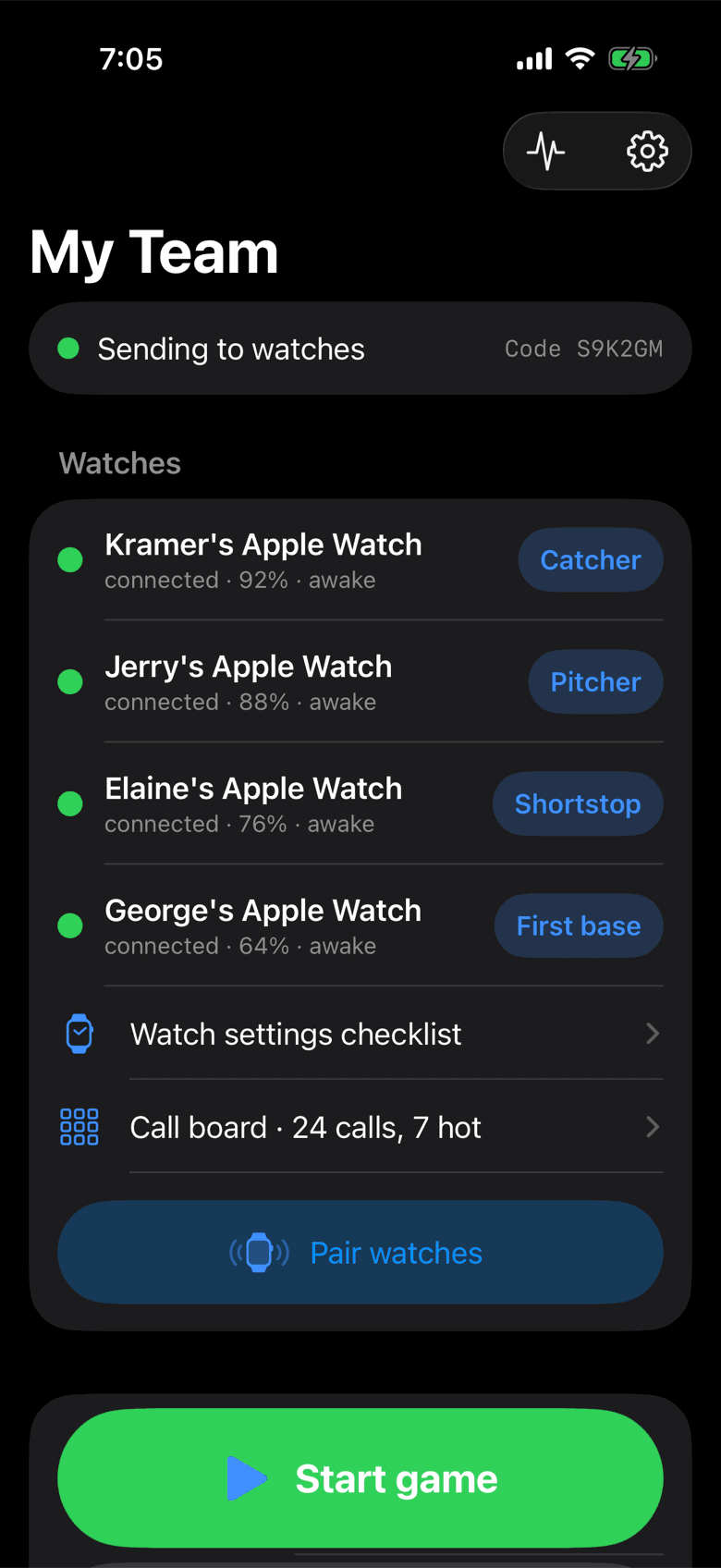
Players open Mitt Talk on their watch and tap Join while you tap Pair watches. Give each watch a position. After that they connect on their own, every game.
Pitch calling for baseball and softball · iPhone to Apple Watch
Mitt Talk sends pitches, locations, plays and shifts from the coach's iPhone straight to your players' Apple Watches. Two taps, one buzz, no signs to steal. Every pitch is logged as you call it, so every game ends with a report.
How it works
There is nothing to type at the field and nothing to set up between innings. Players raise a wrist and the watch is already connected.
Players open Mitt Talk on their watch and tap Join while you tap Pair watches. Give each watch a position. After that they connect on their own, every game.
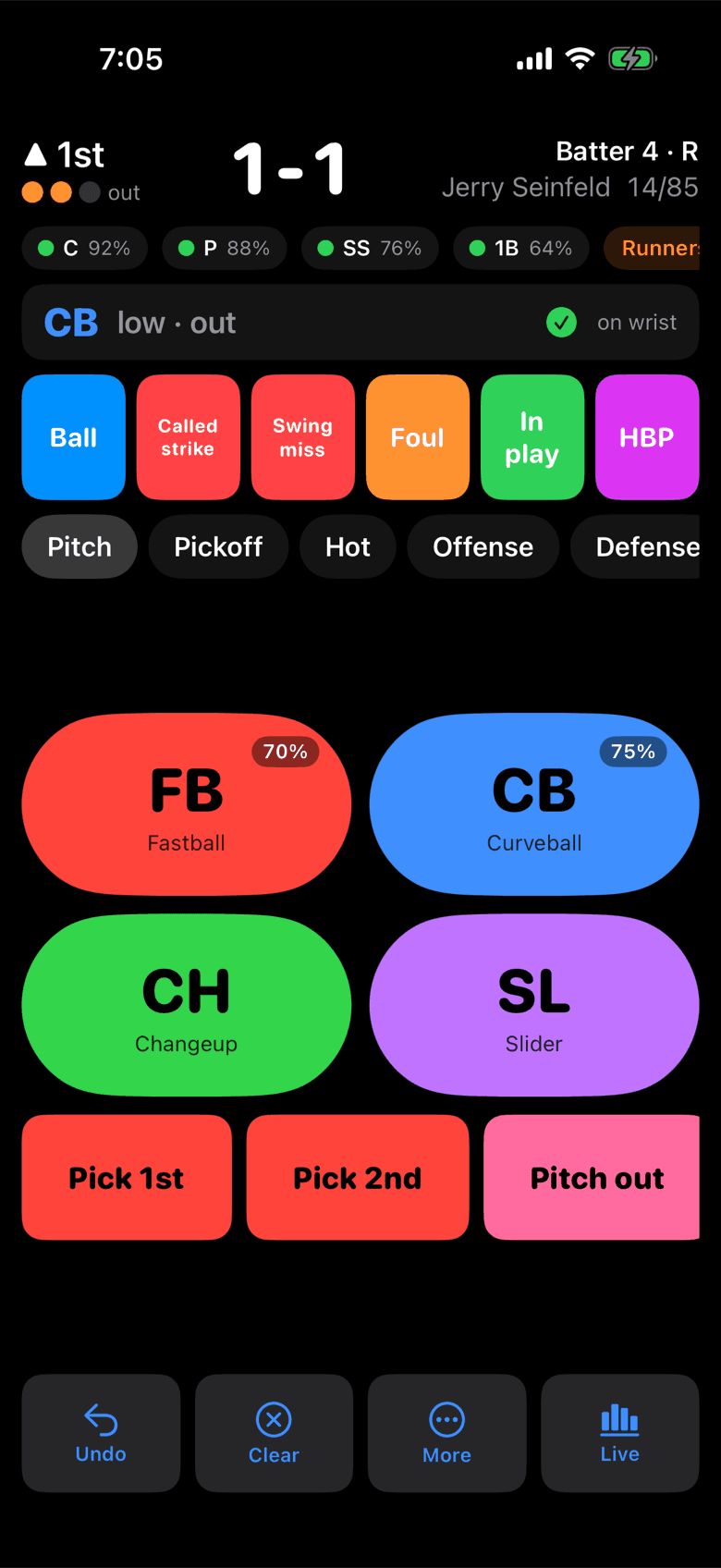
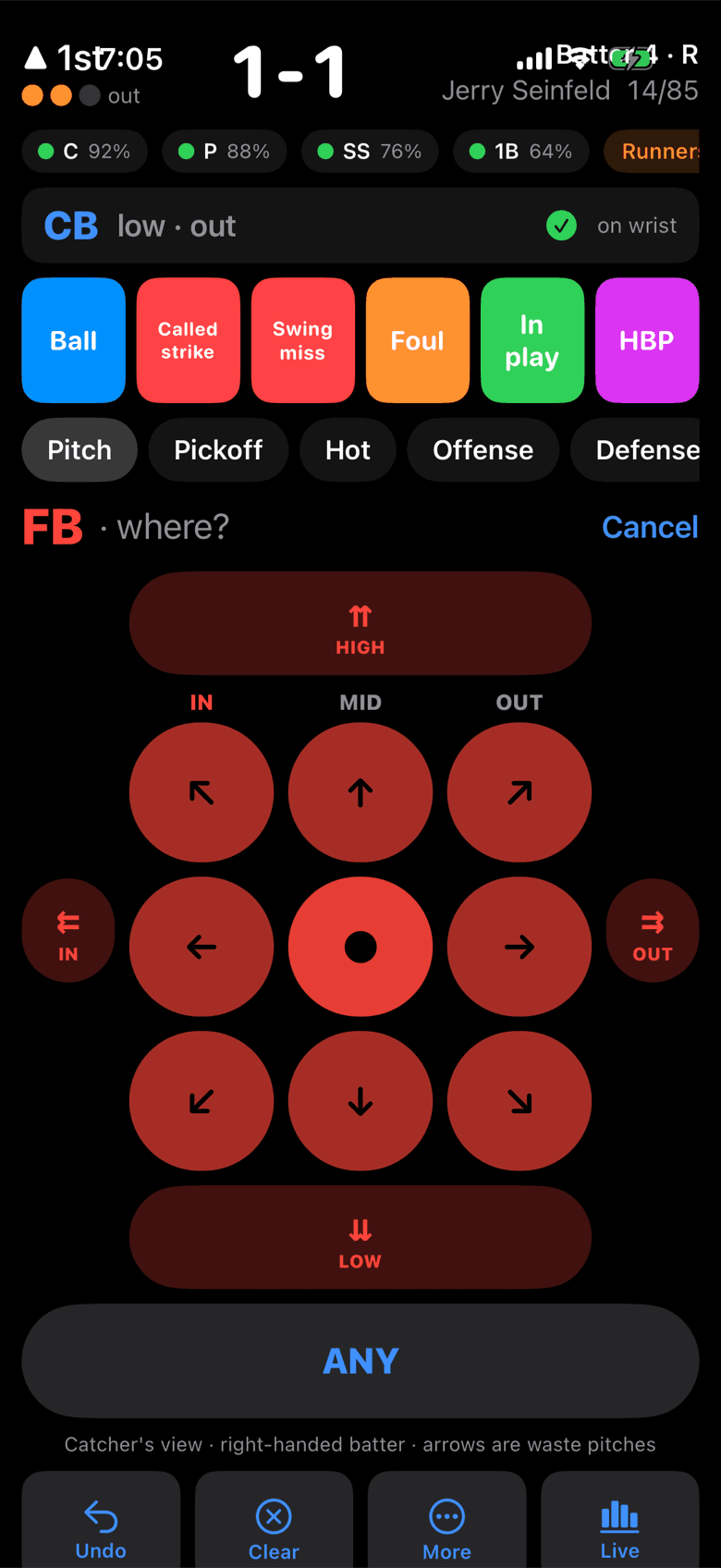
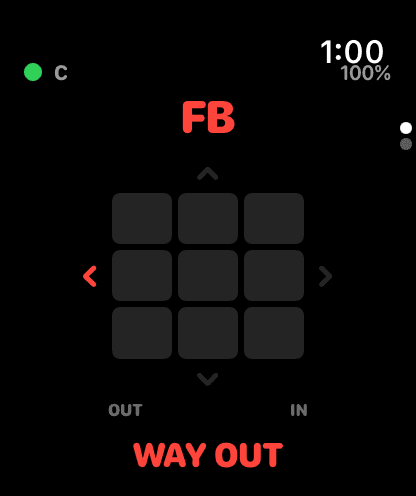
Tap the pitch, tap where you want it. The grid reads In and Out for the batter at the plate, with arrows around it for pitches you want wasted.
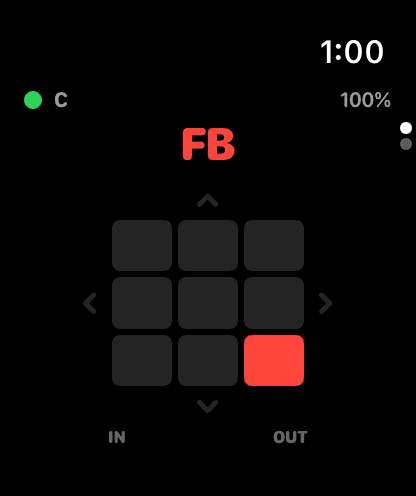
Catcher and pitcher get a distinct buzz for fastball, breaking ball and off-speed, and see the pitch and location without touching the watch.
On the field
Nine zones, labelled In, Mid and Out for the hitter who's actually up. Switch-hitter steps across the plate and the labels follow. The grid itself never flips, so your thumb and the catcher's wrist always agree.
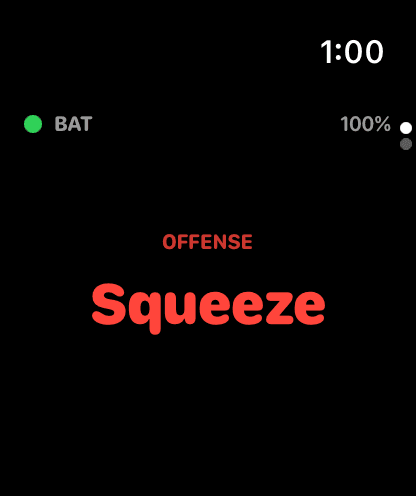
Build a call board of everything your team runs, up to 40 characters a call. Each one goes only to the watches that need it: Squeeze to the batter and runners, Infield in to the infield, Pick 1st to the battery.
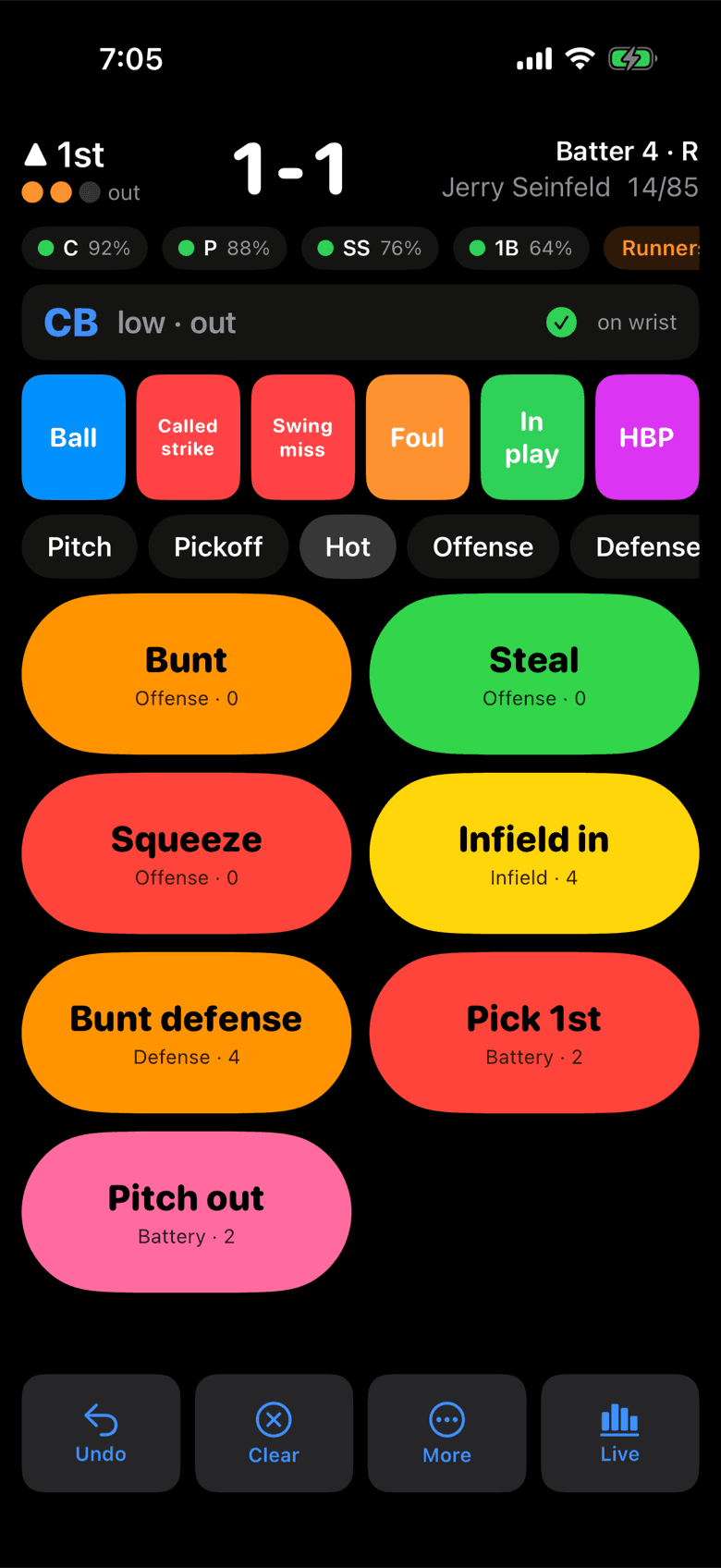
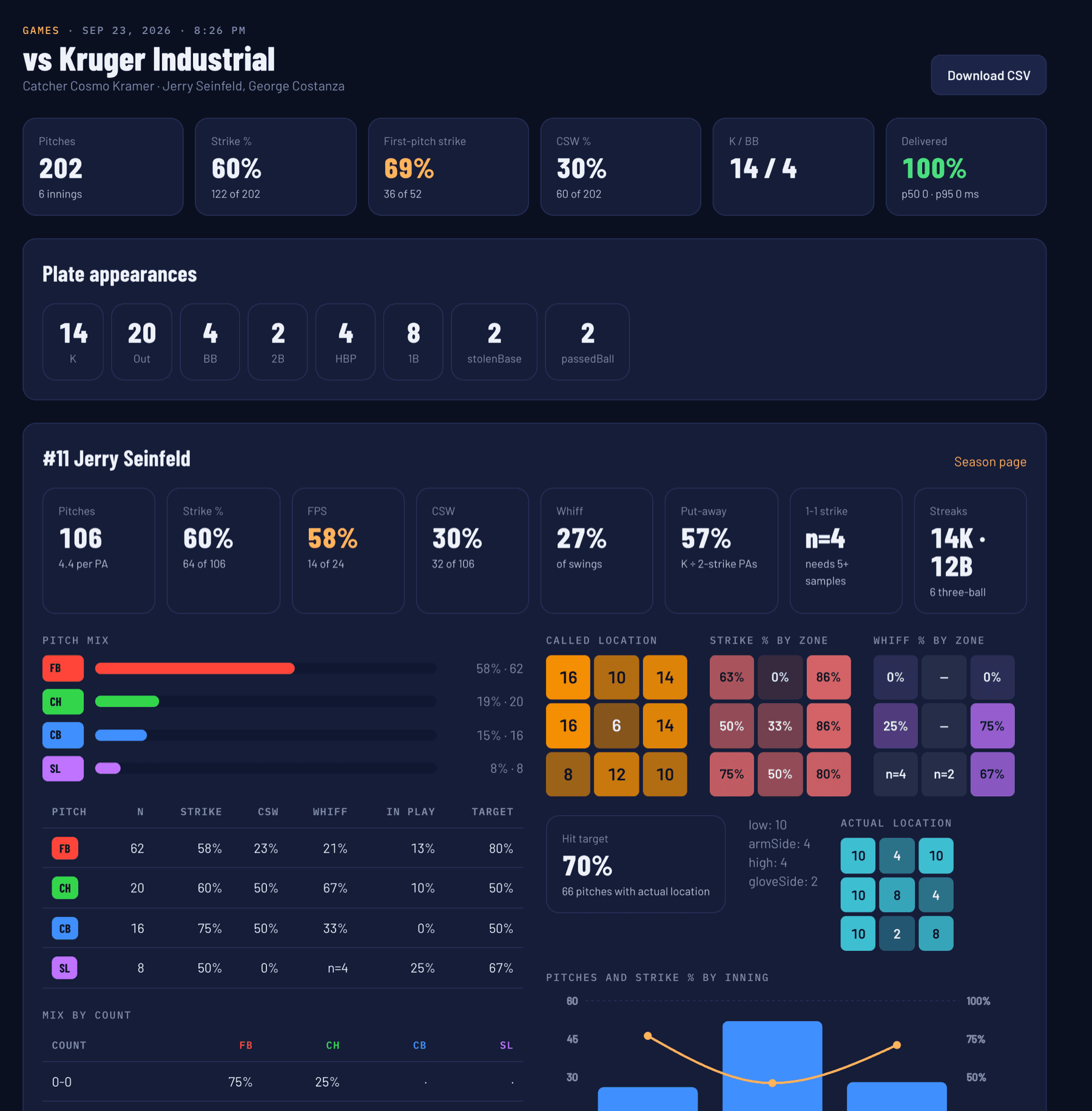
Tap the result after each pitch and the rest follows: count, outs, batter, inning, and a running pitch count against each pitcher's daily limit, with a warning before you reach it.
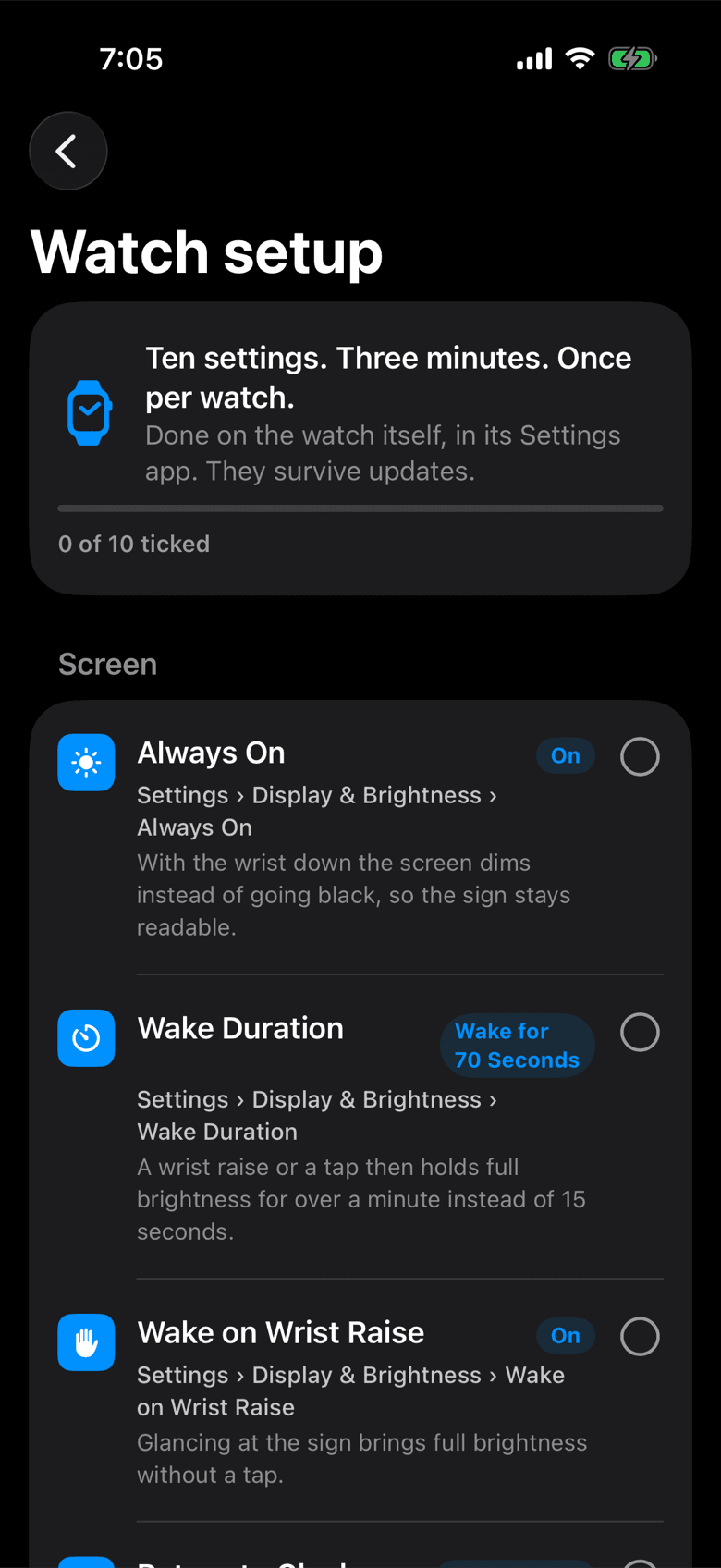
The call stays readable with the wrist down, a light mode holds up in direct sun, and the watch stays awake and connected for the whole game. If a player wanders out of range, the watch finds the coach again on its own.
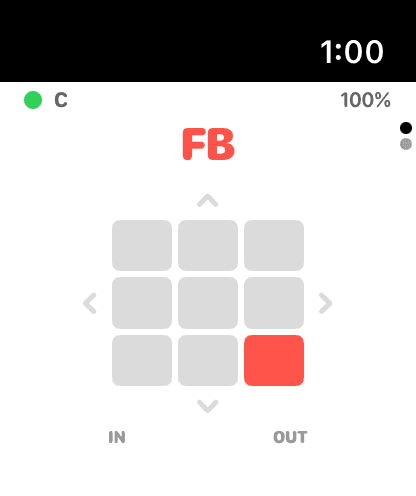
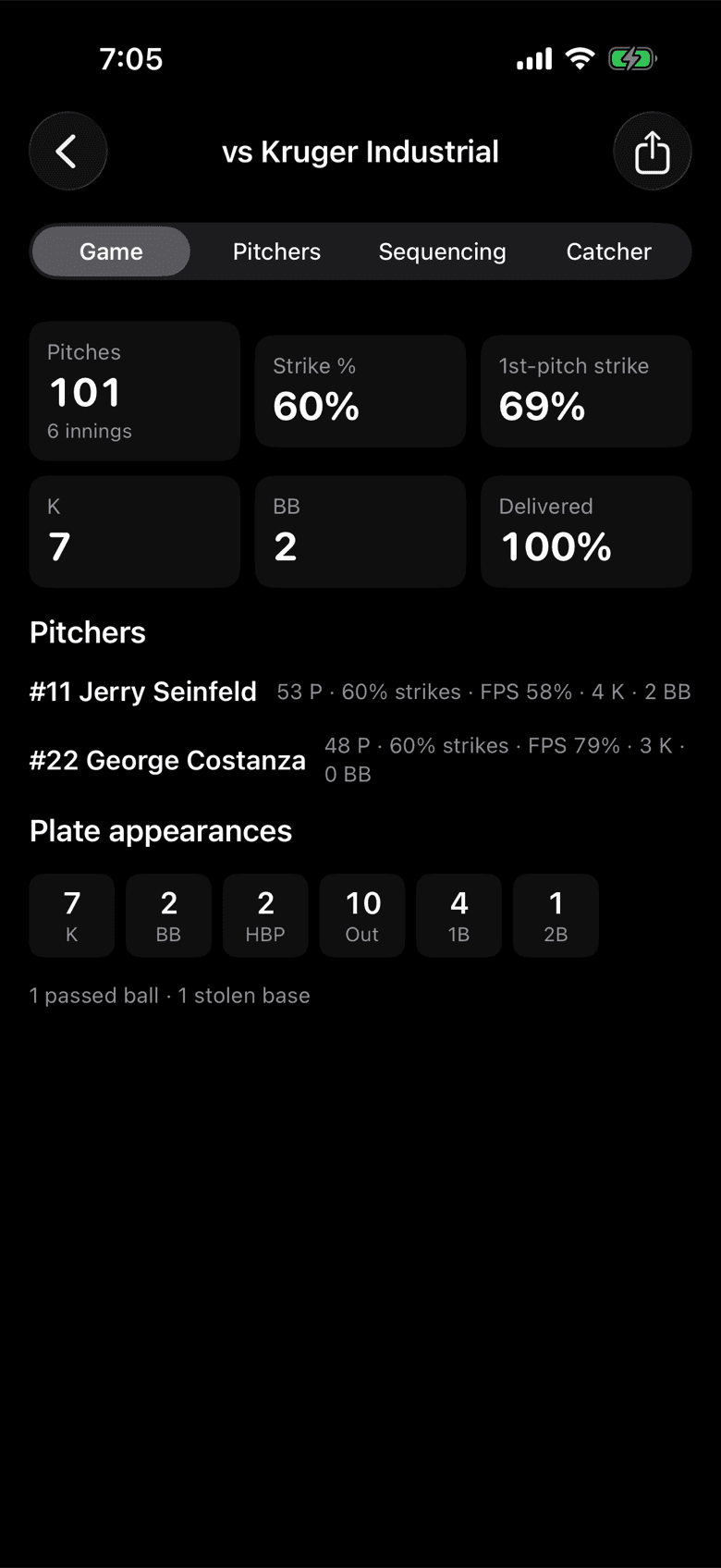
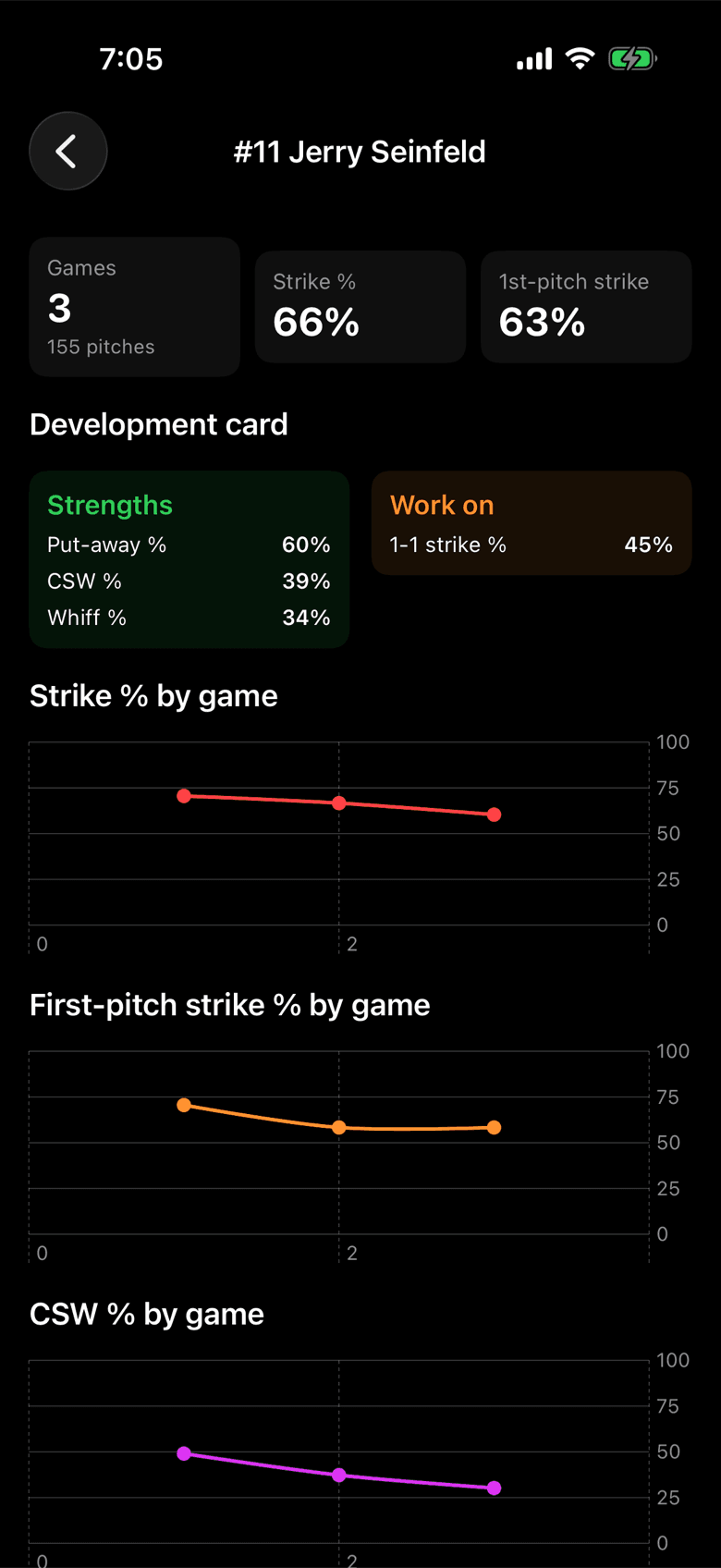
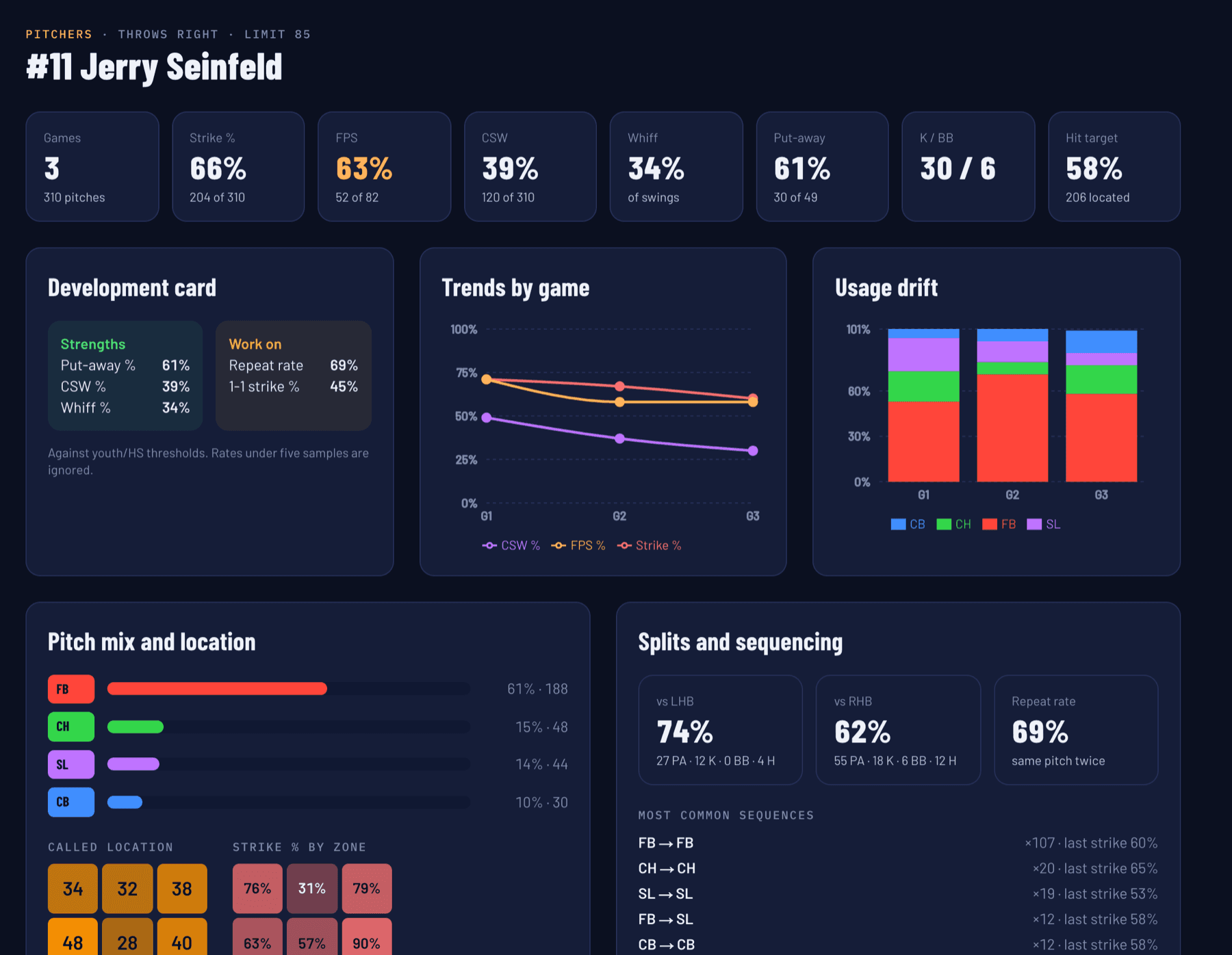
Every call and result is already recorded, so the post-game report is waiting when the last out is made. Hand a pitcher their own numbers, or send the whole game to the staff.
The dashboard
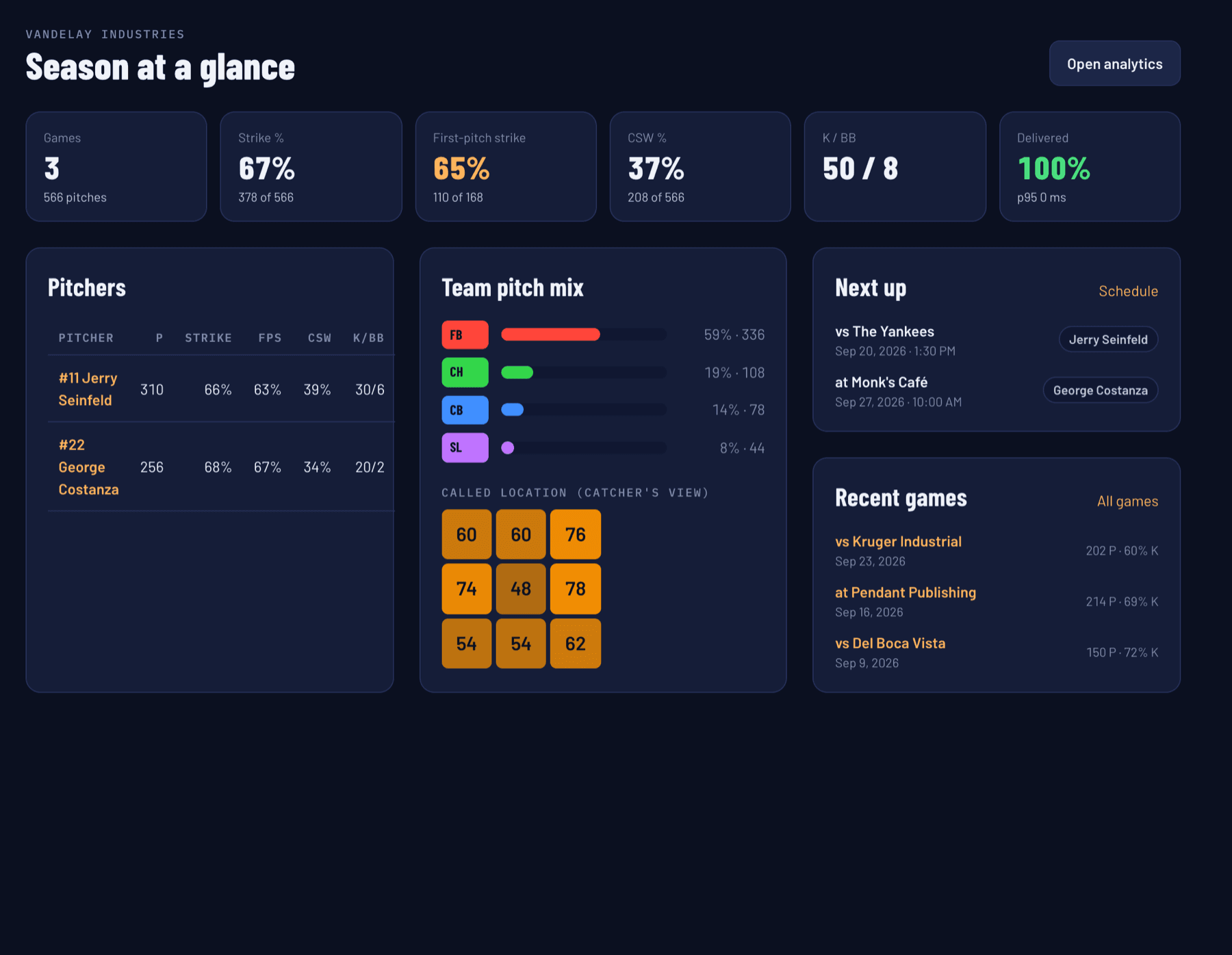
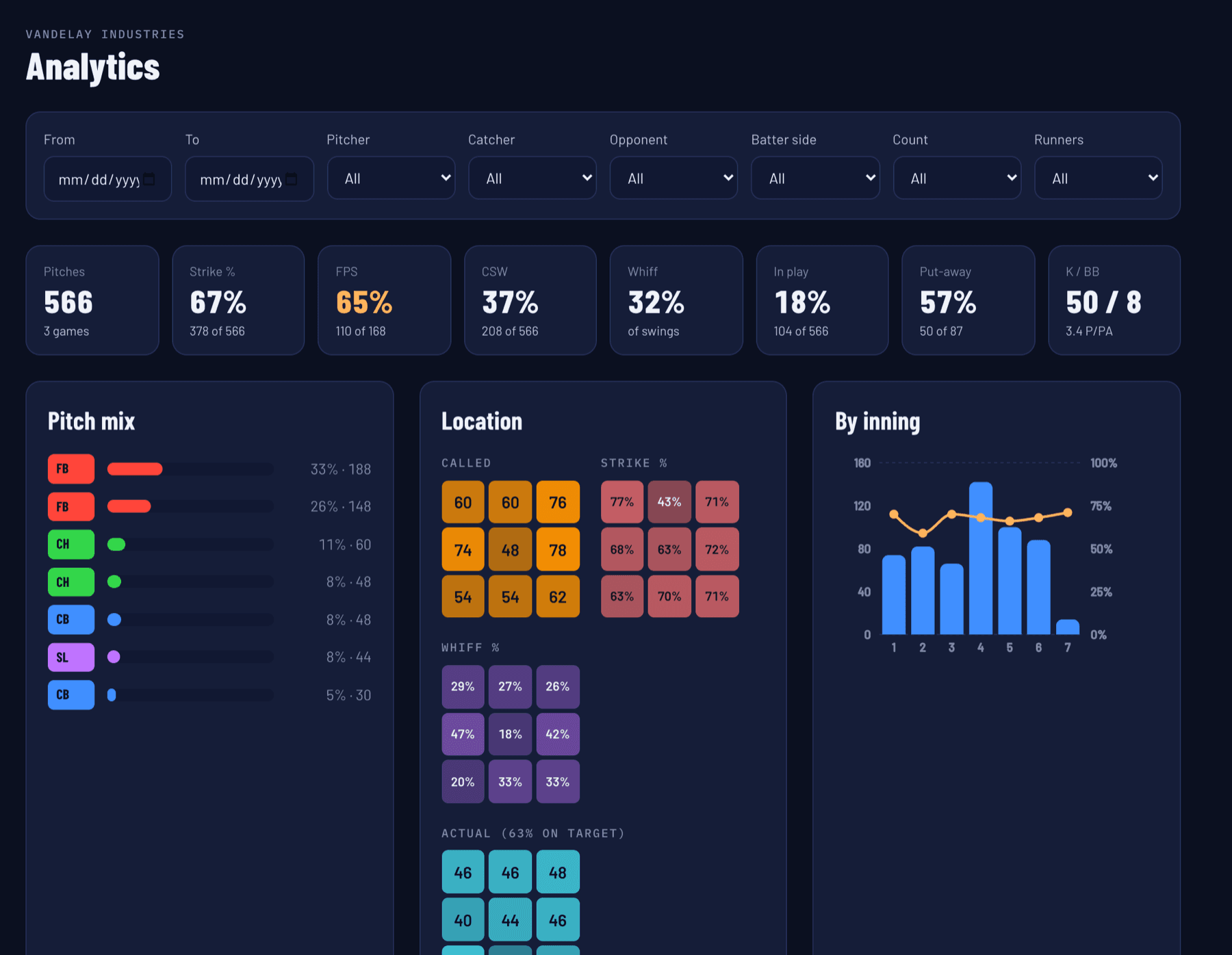
Sign in on any browser and the season is there: who throws strikes on the first pitch, where each pitcher misses, which sequences get outs. While a game is on, it updates as you call it.
Two coaches, one team
Live
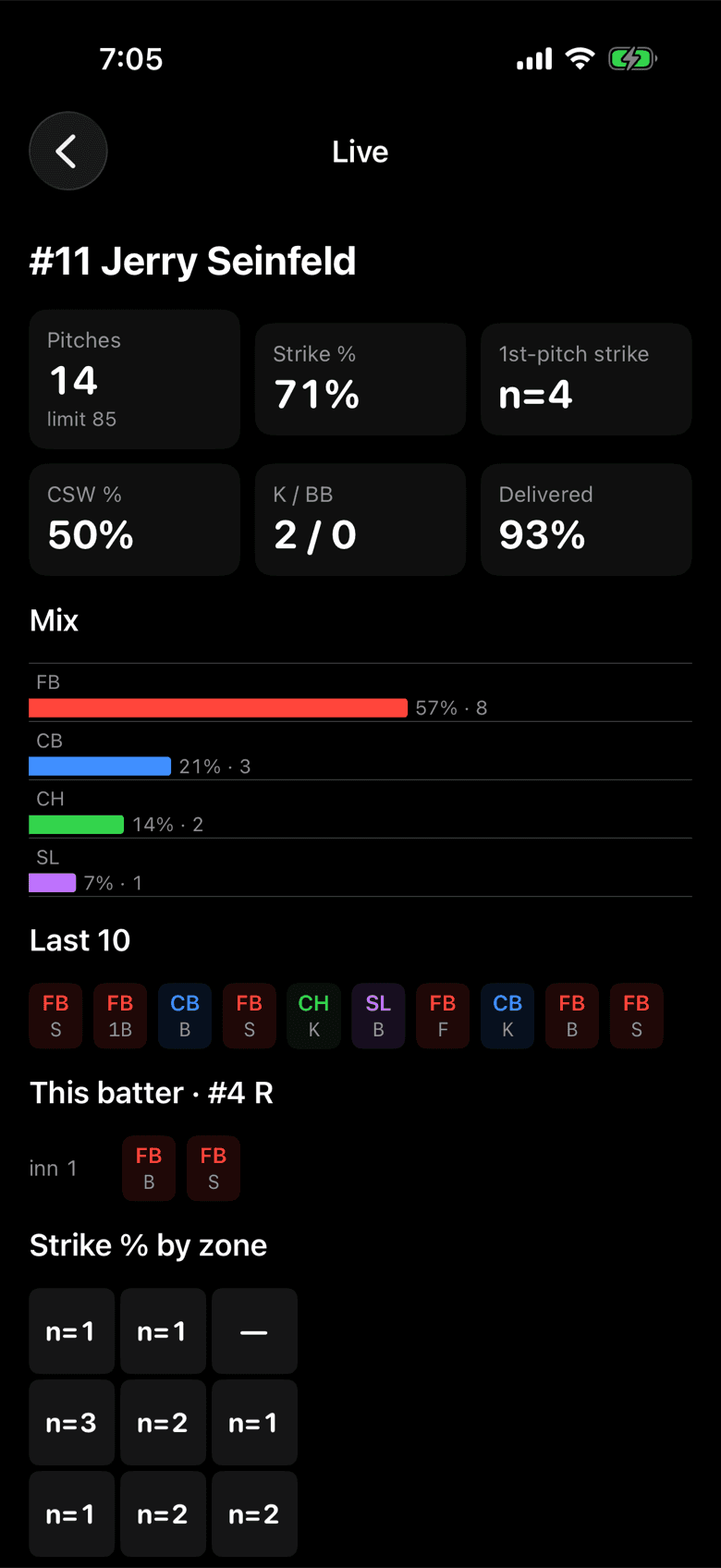
While one coach calls pitches, another follows the live game on the dashboard: pitch count, strike rate and mix, refreshed every few seconds.
Hand-off
Only one phone owns the watches at a time. A second coach taps Take over, or just starts a game, and the watches move across within seconds.
Roles
Invite assistants as coaches and everyone else as read-only viewers. Pitchers, catchers, the call board and the schedule are managed once on the web and appear on the phone.
Private by design
The link between the coach's phone and the watches is direct Bluetooth. No router, no cell tower, no server in the middle, so there is nothing to go down in the third inning.
Questions
One iPhone for the coach, running iOS 18 or later, and an Apple Watch for each player you want to reach, running watchOS 11 or later. Most teams start with two watches, catcher and pitcher, and add fielders later.
Not at the field. A player's iPhone is used once, at home, to install the app on their watch. During a game the watch talks straight to the coach's phone and the player's phone can stay in the bag or at home.
No. Put the coach's phone in airplane mode, turn Bluetooth back on, and everything on the field works. A connection is only used afterwards, if you choose to sync games to the dashboard.
It's Bluetooth, built for dugout-to-plate distances, and it works best with a clear line of sight to the mound. The home screen shows each watch's connection before the first pitch, and the app has a link test that measures delivery on your own field.
Rules on electronic communication differ by league, level and season, and some allow coach-to-catcher devices while restricting others. Check with your league before game day. Mitt Talk is one-way by design: players cannot send anything back.
Yes. Pitches, labels, the call board and pitch limits are all yours to define, so it fits softball staffs as well as baseball.
Mitt Talk is in private beta and free to the teams testing it. Request access below and we'll send you an invitation and a setup walkthrough.
Private beta
Tell us about your team and we'll send a TestFlight invitation for the iPhone and Apple Watch apps, plus a login for the dashboard.
Already invited by your coach? Create your account. Already have one? Sign in.